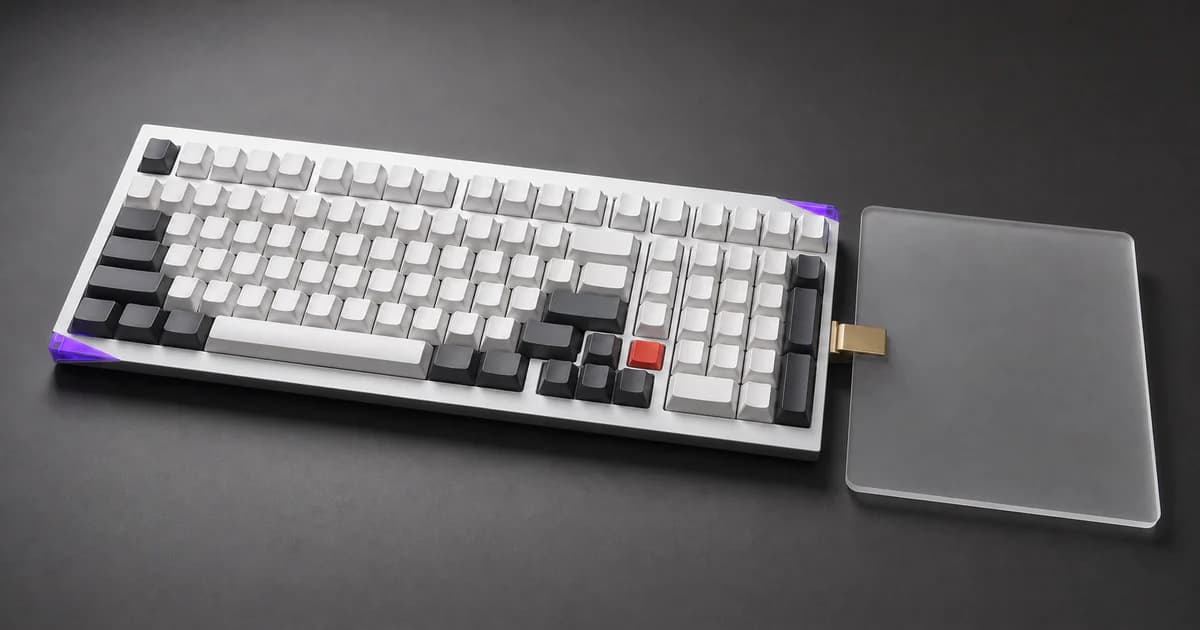
Picked up an Akko Mineral 02 on sale — a budget-friendly aluminum 98% mech with VIA support. Beautiful keyboard, but the documentation is practically nonexistent. Here's everything I figured out so the next person doesn't have to.
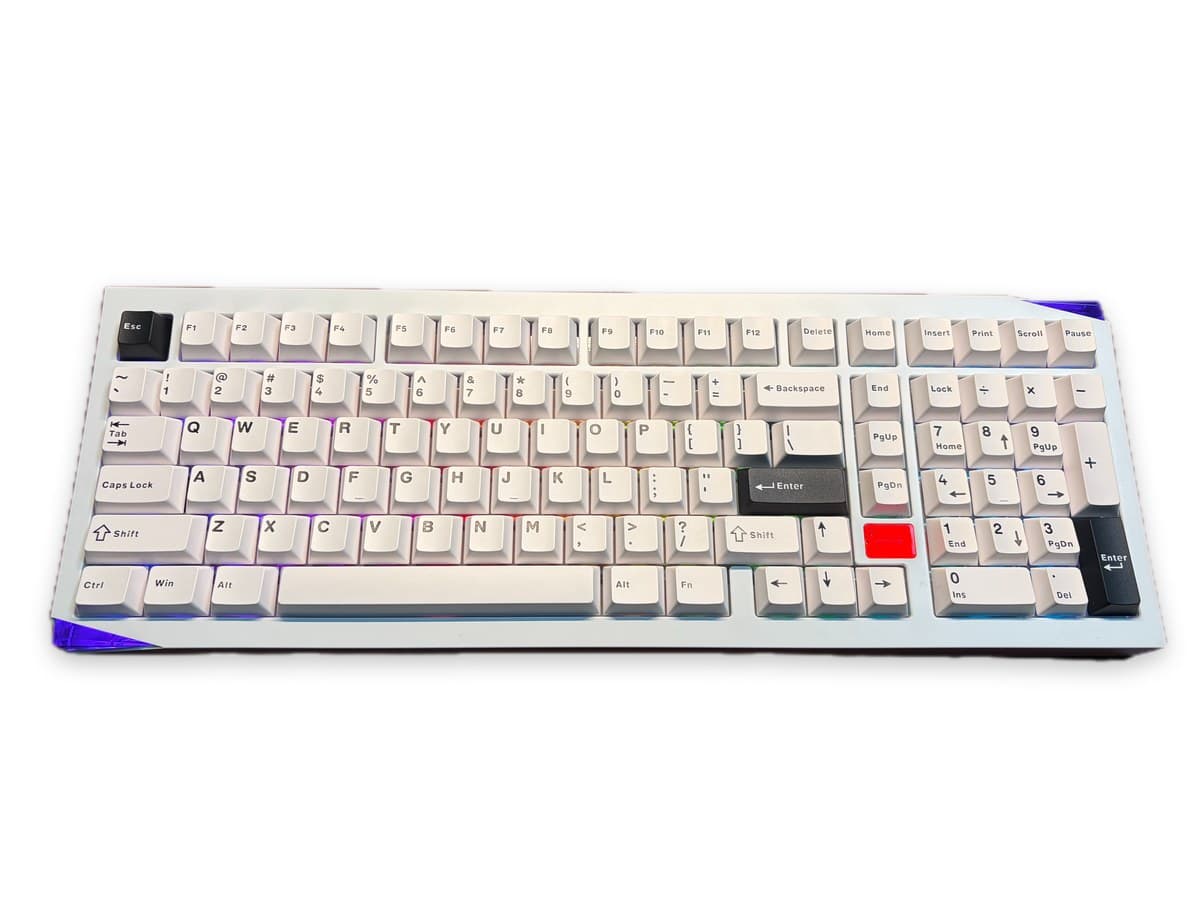
The Keyboard
| Layout | 1800 Compact, 102 keys |
| Case | CNC aluminum, curved side profile |
| Mount | Gasket, FR4 plate |
| Connectivity | Bluetooth 5.0 (×3) / 2.4GHz / USB-C |
| Battery | 8000mAh (dual 4000mAh) |
| Keycaps | Cherry-profile PBT double-shot |
| Hot-swap | Yes, 3-pin and 5-pin MX |
| RGB | South-facing per-key + translucent acrylic corner lights |
| Software | QMK / VIA |
| Weight | ~2.7 kg |
| Polling rate | 1000Hz wired/2.4G, 125Hz BT |
Step 1: Get the VIA JSON File
The GitHub repo AKKOGEAR/via-json mentioned in some docs returns a 404. The direct download link above is the only reliable source.
Step 2: Plug In USB
About the DIP switch: There's a 3-position switch under the Caps Lock keycap. Up = Mac, Middle = USB, Down = Windows. This controls the OS key layout, not the connection type.
Step 3: Load VIA
- via.evove.top — faster if you're in China
- usevia.app — official
- Go to the Design tab
- Click Load and select mineral_02.json
- Turn OFF "Use V2 definitions" — this is critical, it won't detect the keyboard otherwise
- You might need to load the file 2–3 times before the keyboard shows up
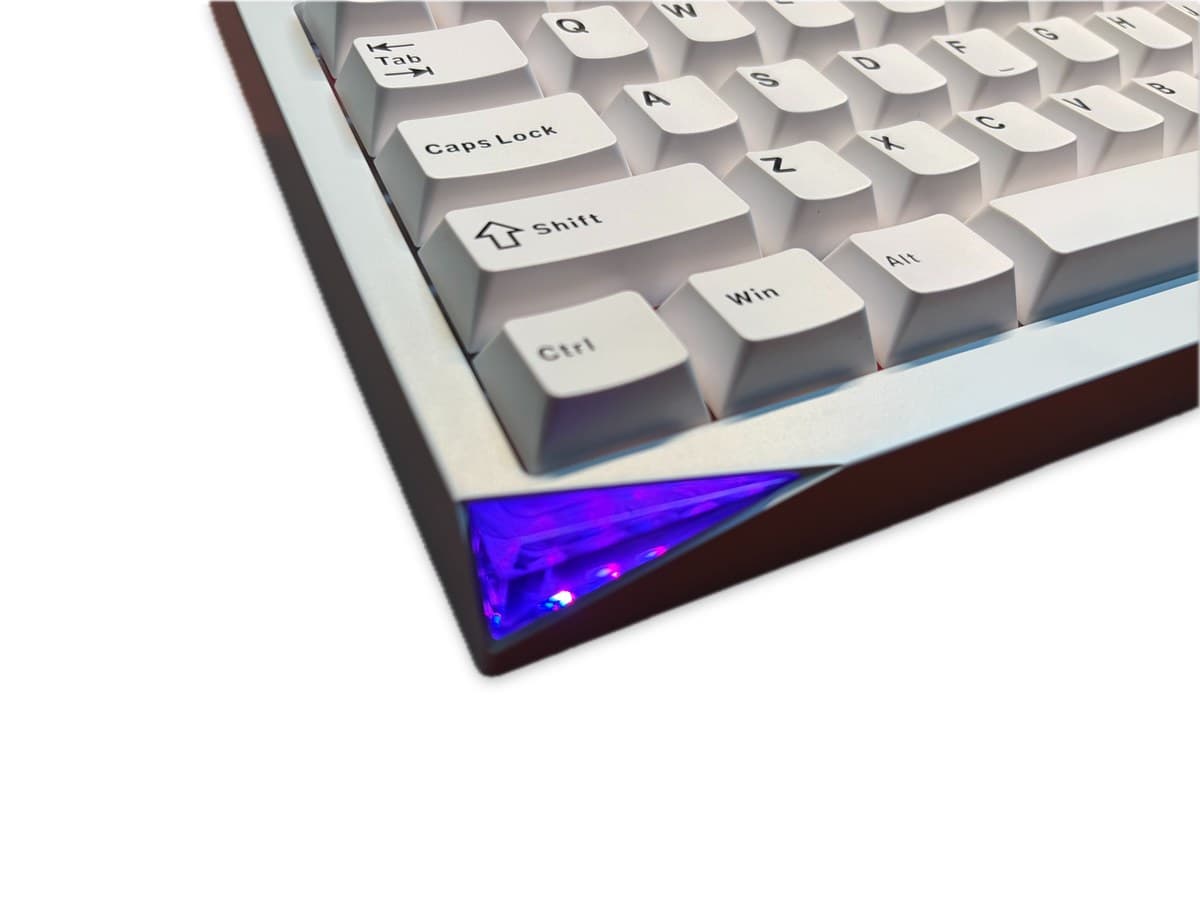
Lighting Controls
| Shortcut | Function |
|---|---|
| Fn + O | Cycle corner/side light effects |
| Fn + \ | Cycle backlight color (7 solid colors + RGB loop) |
| Fn + ← | Previous color |
| Fn + → | Next color |
| Fn + ↑ | Brightness up |
| Fn + ↓ | Brightness down |
The Badge Light
- Fn + G: Forces the side light effects to stay on even while charging, overriding the red charging indicator.
Other Useful Shortcuts
| Shortcut | Function |
|---|---|
| Fn + W | Swap WASD ↔ Arrow keys |
| Fn + E/R/T | Bluetooth device 1/2/3 |
| Fn + Y | 2.4G mode |
| Fn + U | Wired (USB) mode |
| Fn + Space | Battery level check |
| Fn + L_Win | Lock Windows key |
| Fn + ~ (hold 5s) | Factory reset |
What About akko.hsgaming.cn?
Flashing Firmware on macOS (Apple Silicon)
The Problem
Text
Found DFU
Opening DFU capable USB device ...
Device ID 342d:dfa0
Reset device completed!
The Fix: Build a Native wb32-dfu-updater_cli
Bash
# Install dependencies
brew install cmake libusb

# Build from source
cd /tmp
git clone https://github.com/WestberryTech/wb32-dfu-updater.git
cd wb32-dfu-updater && mkdir build && cd build
cmake .. && make

# Binary location:
# wb32-dfu-updater/bin/Darwin_64_Debug/wb32-dfu-updater_cli
# (Optional) Copy to a stable location:
cp wb32-dfu-updater/bin/Darwin_64_Debug/wb32-dfu-updater_cli ~/.local/bin/
Flash the Firmware
- If your firmware is .hex format, convert to .bin first:
Bash
brew install arm-none-eabi-binutils  # if not already installed via qmk
arm-none-eabi-objcopy -I ihex -O binary firmware.hex firmware.bin
- Set the DIP switch to middle position (under Caps Lock keycap) and plug in USB.
- Enter bootloader: press Fn + R_Shift + Esc.
- Flash immediately (the bootloader times out in a few seconds):
Bash
wb32-dfu-updater_cli -t -D /path/to/firmware.bin
Text
Found DFU
Opening DFU capable USB device ...
Device ID 342d:dfa0
The device bootloader version: 0.4
Start Download ...
Download block start address: 0x08000000
Download block size: 73300 Bytes
Writing ...
OK
Download completed!
- Keyboard reboots automatically. Set the DIP switch back to your preferred position (up = Mac, down = Windows).
最近在济南做 ERP 项目,Zoom98 给夫人用了,一直想找一把千元以内的 98 铝坨坨。直播间刷到了 Akko Mineral 02,打折 679 入了一把带键帽轴体的成品(星眸轴),声音还不错。研究了一下 VIA 配置,整理一份完整指南,省得你跟我一样踩坑。
这把键盘
| 配列 | 1800 紧凑,102 键 |
| 外壳 | CNC 铝合金,弧形侧边 |
| 结构 | Gasket,FR4 定位板 |
| 连接 | 蓝牙 5.0(×3)/ 2.4GHz / USB-C |
| 电池 | 8000mAh(双 4000mAh) |
| 键帽 | Cherry 高度 PBT 双色注塑 |
| 热插拔 | 支持 3 脚和 5 脚 MX 轴 |
| 灯光 | 南向 RGB 轴灯 + 透明亚克力角灯 |
| 软件 | QMK / VIA |
| 重量 | ~2.7 kg |
| 回报率 | 有线/2.4G 1000Hz,蓝牙 125Hz |
第一步:下载 VIA JSON 文件
有些文档提到的 GitHub 仓库 AKKOGEAR/via-json 已经 404 了,上面这个直链是唯一靠谱的来源。
第二步:插上 USB
关于拨杆:Caps Lock 键帽下面有个三档拨杆。上 = Mac,中 = USB,下 = Windows。这个控制的是系统键位布局,不是连接方式。
第三步:导入 VIA
- via.evove.top — 国内访问更稳
- usevia.app — 官方
- 进入 Design 标签页
- 点 Load 按钮,选择 mineral_02.json
- ⚠️ 关掉 "Use V2 definitions" —— 不关的话键盘识别不了
- 可能需要反复 Load 2-3 次键盘才会出现
灯光快捷键
| 快捷键 | 功能 |
|---|---|
| Fn + O | 切换角落灯/侧灯效果 |
| Fn + \ | 切换背光颜色(7种单色 + RGB循环) |
| Fn + ← | 上一个颜色 |
| Fn + → | 下一个颜色 |
| Fn + ↑ | 亮度增加 |
| Fn + ↓ | 亮度降低 |
铭牌灯
- Fn + G:强制侧灯灯效在充电时也保持显示,不被红色充电指示覆盖。
其他实用快捷键
| 快捷键 | 功能 |
|---|---|
| Fn + W | WASD ↔ 方向键互换 |
| Fn + E/R/T | 蓝牙设备 1/2/3 |
| Fn + Y | 2.4G 模式 |
| Fn + U | 有线 USB 模式 |
| Fn + Space | 查看电量 |
| Fn + L_Win | 锁定 Windows 键 |
| Fn + ~ (长按5秒) | 恢复出厂设置 |
akko.hsgaming.cn 是什么?
macOS(Apple Silicon)刷固件指南
问题
Text
Found DFU
Opening DFU capable USB device ...
Device ID 342d:dfa0
Reset device completed!
解决方案:编译原生 wb32-dfu-updater_cli
Bash
# 安装依赖
brew install cmake libusb

# 从源码编译
cd /tmp
git clone https://github.com/WestberryTech/wb32-dfu-updater.git
cd wb32-dfu-updater && mkdir build && cd build
cmake .. && make

# 二进制位置:
# wb32-dfu-updater/bin/Darwin_64_Debug/wb32-dfu-updater_cli
# (可选)复制到稳定路径:
cp wb32-dfu-updater/bin/Darwin_64_Debug/wb32-dfu-updater_cli ~/.local/bin/
刷固件步骤
- 如果固件是 .hex 格式,先转成 .bin:
Bash
brew install arm-none-eabi-binutils  # 如果还没装
arm-none-eabi-objcopy -I ihex -O binary firmware.hex firmware.bin
- 拨杆拨到中间位置(Caps Lock 键帽下方),插上 USB 线。
- 进入 Bootloader:按 Fn + R_Shift + Esc。
- 立即刷写(Bootloader 几秒后会自动超时退出):
Bash
wb32-dfu-updater_cli -t -D /path/to/firmware.bin
Text
Found DFU
Opening DFU capable USB device ...
Device ID 342d:dfa0
The device bootloader version: 0.4
Start Download ...
Download block start address: 0x08000000
Download block size: 73300 Bytes
Writing ...
OK
Download completed!
- 键盘自动重启。拨杆拨回你惯用的位置(上 = Mac,下 = Windows)。