、
Wrong punctuation
The physical slash produces the Chinese enumeration comma.

Press slash. Continue in English.
A tiny native macOS utility for Chinese input users who move between chat, search, code, and agent prompts. One physical key selects your ASCII input source without changing focus.
The failure is small enough to repeat all day. A slash becomes Chinese punctuation, the command stays inside pinyin composition, or Return commits extra text before the intended action can match.
The physical slash produces the Chinese enumeration comma.
The slash appears, but the English letters after it remain in composition.
Return commits unwanted text instead of matching a command or skill.
A physical slash is a reliable signal that the next interaction belongs in an ASCII context. Slash Saver acts before the original event reaches the focused app, then gets out of the way.
01 / keyDown
See physical slash
Ignore Command, Control, Option, and key repeat.
02 / TIS
Select ASCII source
Use the source you chose from the system list.
03 / pass
Keep the original key
No synthetic slash, no swallowed event, no focus change.
The same app can contain a Chinese conversation, an English search, and a command field minutes apart. The container does not reveal the next input intent. The slash does.
Predicts one language for an entire app or website, then changes state whenever focus moves.
Adds a decision and a keystroke at the exact moment you are trying to express an action.
Uses one explicit intent signal, never switches back automatically, and ignores every other moment.
There is no Dock icon and no menu bar item. Choose an ASCII input source, grant Input Monitoring, enable login launch, and let the app recede into the background.
Swift + AppKitCGEventTap.listenOnlySMAppService.mainAppmacOS 13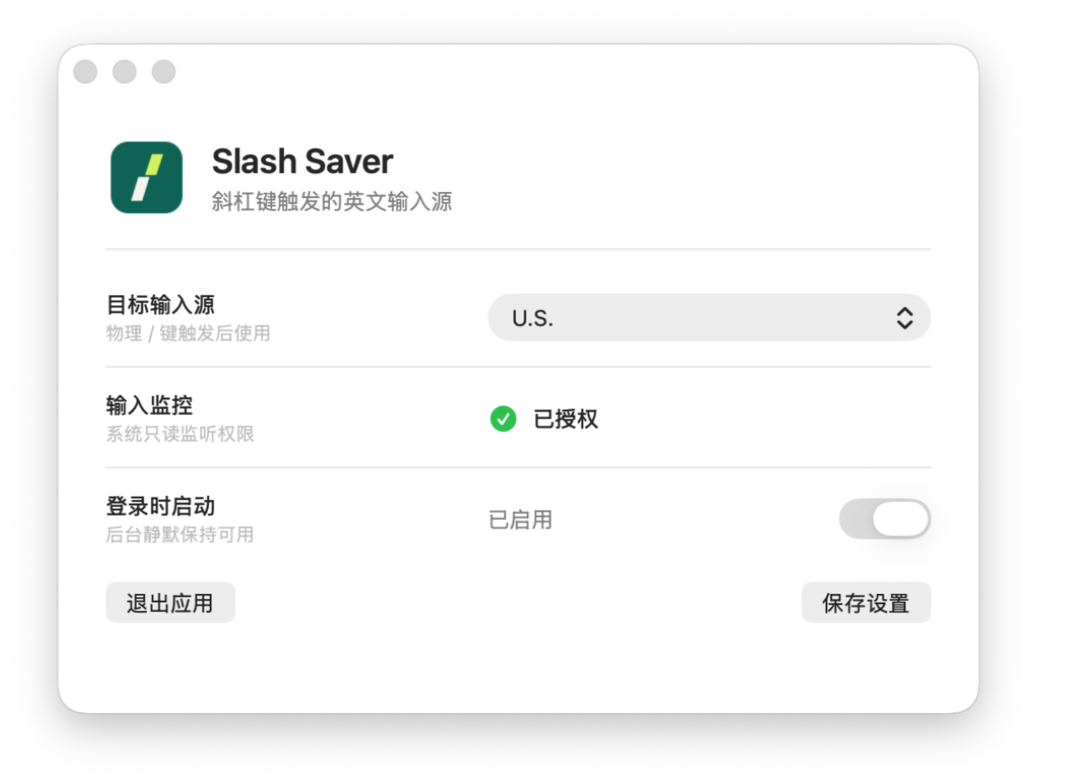
No app names, documents, analytics, network calls, or input history. Non-slash key metadata is ignored immediately. The app never posts synthetic keyboard events.
Slash Saver is a universal macOS app for Apple silicon and Intel Macs. Reopen it whenever you want to change settings.
01
Unzip and move Slash Saver to Applications.
02
Control-click once and choose Open if Gatekeeper asks.
03
Choose the input source and grant Input Monitoring.